Calculator - Hide Apps, Photo: Comprehensive Privacy App Review
by Tech 4 All Apps
This Android application disguises as a calculator while providing robust privacy protection for apps, photos, and videos. It targets users seeking discreet data concealment without obvious security software indicators.
Detailed Review
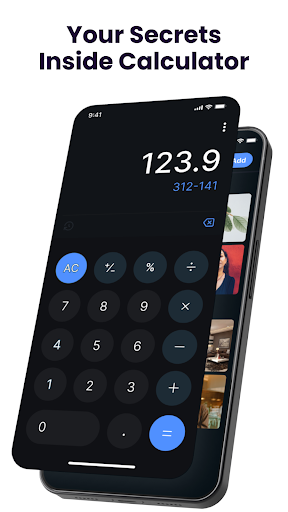
Calculator - Hide Apps, Photo presents itself as a standard calculator application while functioning as a comprehensive privacy protection tool. Developed by Tech 4 All Apps, this Android application occupies a niche market position by leveraging deceptive interface design to provide covert security functionality. The app's primary value proposition lies in its ability to maintain plausible deniability while safeguarding sensitive digital content from casual observers.
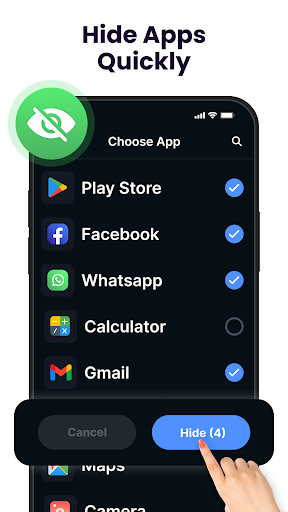
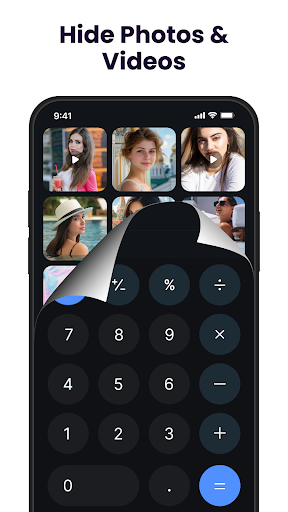
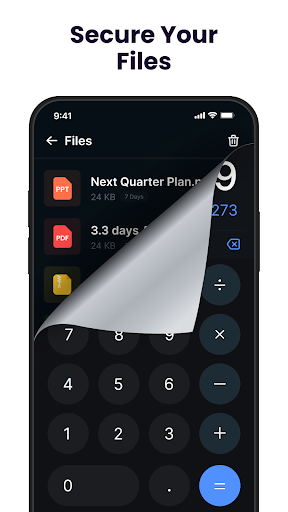
The application's core functionality centers around its dual-purpose design. Users access hidden content by entering a specific numerical code into the calculator interface, which then reveals the secure vault containing protected apps, photos, videos, and documents. The system employs basic encryption for stored media files and supports various file types including images, videos, and documents. Additional features include note protection and the ability to hide entire applications from the device's main app drawer, creating a secondary layer of privacy beyond simple media concealment.
User experience demonstrates a straightforward interface that maintains the visual and functional characteristics of a standard calculator application. The transition between calculator mode and privacy vault occurs seamlessly after entering the predetermined access code. Real-world usage patterns suggest most users employ the application for concealing personal media collections, private messaging applications, or sensitive documents. The interface lacks advanced organizational features but provides adequate basic functionality for most concealment needs.
No specific user reviews are available for detailed analysis, though the 4.07 rating suggests generally positive reception. The absence of detailed user feedback limits comprehensive assessment of real-world performance issues or standout features as reported by actual users. This gap in user-reported data makes independent verification of reliability claims challenging.
The application demonstrates clear strengths in its deceptive interface design and straightforward operation, making it accessible for users seeking basic privacy measures. Limitations include dependence on the calculator disguise remaining uncompromised and the absence of advanced security features like biometric authentication or cloud backup. Ideal use cases involve individuals requiring simple media concealment from casual observers rather than protection against determined digital forensics experts.
Key Features
- •Calculator disguise interface maintains plausible deniability while providing hidden vault access through numerical codes
- •Comprehensive media protection supporting photos, videos and various document formats with basic encryption
- •Application hiding functionality removes selected apps from device's main menu while maintaining accessibility
- •Secure note storage allows protection of sensitive text information alongside media files
- •Simple passcode protection system using numerical combinations for vault access security
Why Users Love It
Effective interface disguise
Multi-format content protection
Perfect for: Users seeking discreet personal data concealment solutions
Screenshots


App Details
Developer
Tech 4 All Apps
Platform
androidRating
★4.1
Last Updated
9/10/2025





