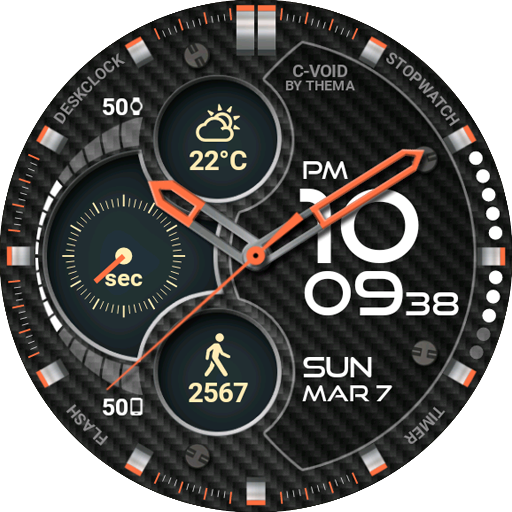
C-Void Watch Face
by thema
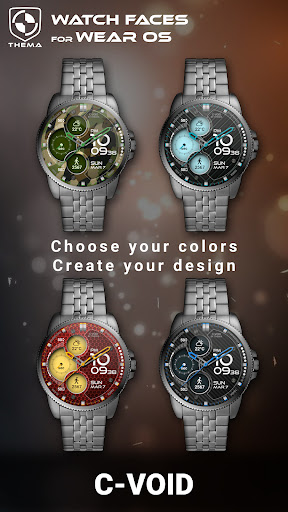
C-Void Watch Face for Wear OS! ★ Features of C-Void Watch Face ★ - Choose design colors - Day & Month - Watch battery - Mobile battery (requires phone app) - Weather (requires phone app) The setti...
Detailed Review
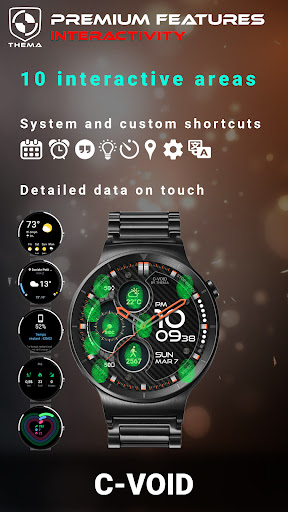
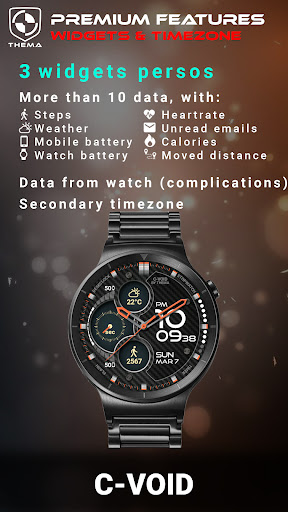
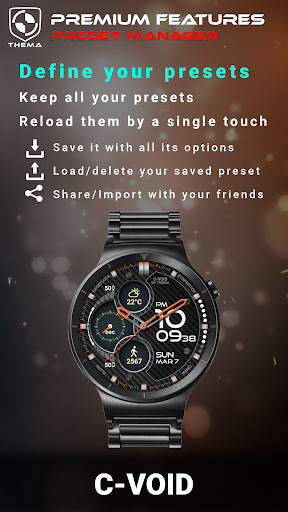
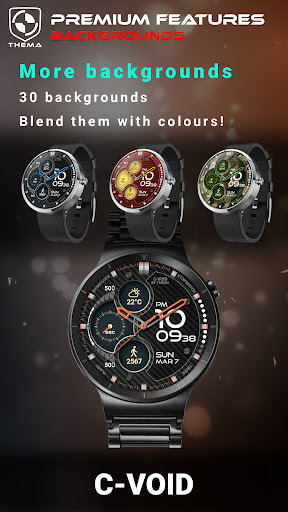
C-Void Watch Face for Wear OS! ★ Features of C-Void Watch Face ★ - Choose design colors - Day & Month - Watch battery - Mobile battery (requires phone app) - Weather (requires phone app) The settings of the watch face are located in the "Wear OS" app of your mobile. Just hit the gear icon over the watch face preview and the settings screen will show up! ★ FREE Settings ★ 🔸Wear OS 2.X / 3.X / 4.X - Choose design colors on watch & mobile - Define heartbeat frequency refresh rate - Define weather refresh rate - Weather unit - 12 / 24 hours mode - Define interactive mode duration - Choose the ambient mode b&w and eco luminosity - Choose to display a leading zero on hours - Display brand name or not - Choose to display or not the seconds dots 🔸Wear OS 6.X - Choose design colors - Choose date format - Display shortcuts or not - Display watch / mobile battery indicators or not - ... and more ★ PREMIUM Settings ★ 🔸Wear OS 2.X / 3.X / 4.X - Choose your own title in place of "C-VOID" - Switch between éco / simple b&w / full ambient mode - Choose background among different styles - Blend background with colors - Define a secondary timezone for digital display - Data: + Change the indicator to display on the 3 positions + Choose between up to 8 indicators (Daily step count, Heartbeat frequency, Unread Email from Gmail, etc...) + Complication (wear 2.0 & 3.0+) - Interactivity + Access to detailed data by touching a widget + Switch the displayed data by touching a widget + Change the shortcut to execute on the 4 positions + Choose your shortcut among all applications installed on your watch! + Choose to display the interactive areas 🔸Wear OS 6.X - Choose background among different styles - Blend background with colors - Complication data: + Set the data you want on the widgets + Touch the widgets to start the data activity if available - Interactivity + Access to detailed data by touching a widget + Modify the shortcuts: choose your shortcut among all applications installed on your watch! ★ Additional features on phone ★ - Notifications for new designs - Access to support - ... and more ★ Installation ★ 🔸Wear OS 2.X / 3.X / 4.X A notification will be displayed on your watch, right after your mobile installation. You just have to hit it to start the installation process of the watch face. If the notification did not display for some reason, you can still install the watch face by using the Google Play Store available on your watch: just search the watch face by its name. 🔸Wear OS 6.X Install the watch app to manage the watchface: the free version is automatically installed. Then use the "MANAGE" button in the top right shortcut of the watchface to update/upgrade your watch face. ★ More watch faces Visit my watch faces collection for Wear OS on the Play Store at https://goo.gl/CRzXbS ** If you have any issues or questions, feel free to contact me by email (English or French language) before giving a bad rating. Thanks! Website: https://www.themaapps.com Youtube: https://youtube.com/ThomasHemetri Twitter: https://x.com/ThomasHemetri Instagram: https://www.instagram.com/thema_watchfaces
Screenshots

User Reviews
Edit: after writing my review I looked more into it and I like how he gives different options to unlock the premium feats (cool idea!) Cool watch face but EVERYTHING is behind a paywall. Maybe 1% you can try out but the rest is on lock down. I gave it the 3*because I think it would be nice but I feel that if you are going to charge (which is your right) you should at least let people try out the features. So yeah as much as I want to like it I'm probably going to uninstall and move on. 😥
Nice looking design and good layout. I had a few problems getting the step counter and heart rate monitor to update on the face, but the developer was very helpful in getting this sorted out for me. If anyone is experiencing these problems. Here's what I did on my Watch 5. Press and hold on the watch face > Customise > Widgets > select top, center or bottom widget > Complication (external data) > Steps .This should fix the problem of the steps not counting or updating, same with HR.
I absolutely love this watch face. I used it as the free version for a couple of weeks to make sure I really enjoyed it. I tried several others during that time but kept coming back to this one. I just paid for the 'premium' features to get some additional customization. I cannot recommend this enough. Wonderful looks and customization capabilities.
This watch face puts all the info I want onto a watch face layout that looks great. And each piece of info had the right level of priority. Plus I was able to make it my own by customizing the colors.
I have 4 Fossil Q Explorist watches and it's the face I use on all four. The face is clear and concise and easily readable.
App Details
Developer
thema
Platform
androidRating
Last Updated
11/16/2025
Other Watch Face Apps
WatchMaker Watch Faces
androidslide

InBody
InBody

DIGI Halloween RZ02 Watch face
RedZone Studio

PER009 Sport Watch Face Mesa
PERSONA Watch Face

Analog Classic - Luxsank
App Comin (Luxsam)

PER015 Luna Sport Watch Face
PERSONA Watch Face