Bose Connect icon
Bose Connect App: A Central Hub for Managing Your Bose Audio Gear

by Bose Corporation

4.2
ANDROIDMusic & Audio
This app serves as a dedicated control center for compatible Bose headphones and speakers. Designed to help users manage device connections, adjust settings, and access features beyond basic Bluetooth pairing. It’s a necessary download for anyone looking to fully utilize their Bose audio products.

Detailed Review

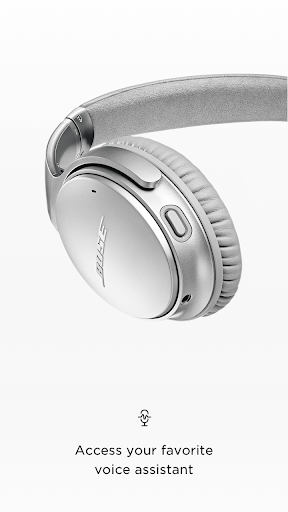
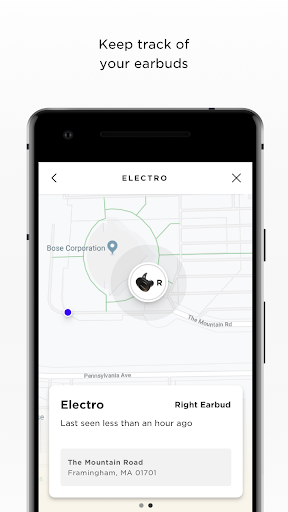
The Bose Connect app functions as a specialized utility for managing a range of the company's wireless audio devices, including QuietComfort and SoundLink series headphones and speakers. As a companion application, its primary role is to extend functionality that isn't available through standard Bluetooth menus, positioning it as an essential tool for device owners rather than a standalone music service. Its utility is directly tied to owning supported hardware, making it a niche but focused product in the music and audio category. Core functionality revolves around device management and customization. Users can seamlessly switch between two paired Bluetooth devices—a practical feature for someone alternating between a laptop for work and a phone for music. The app provides direct access to noise cancellation levels and the Aware mode for hearing ambient sounds on supported headphones, allowing for quick adjustments in changing environments. Furthermore, it handles firmware updates, manages connections for Bose products with multi-device pairing like the SoundLink Revolve+, and enables the stereo pairing or Party Mode function for linking two compatible speakers to create a wider soundstage or sync audio for a social gathering. In real-world usage, the app presents a clean, if occasionally sparse, interface. The process of checking battery levels for the device and its case is straightforward, and toggling between connected devices is reliably simple. However, the experience is almost entirely dependent on having a Bose product connected; opening the app without one results in a prompt to connect, offering little else. For daily use, it’s most beneficial during initial setup, for adjusting noise cancellation on the fly in noisy commutes, or when wanting to pair two speakers for backyard entertainment. Some users note that once preferences are set, daily interaction with the app diminishes, relegating it to a background utility. User feedback trends highlight appreciation for the specific control it grants over Bose-exclusive features. Reviews frequently mention the convenience of device switching and the utility of Party Mode as standout positives. Conversely, a common critique points to occasional connection stability issues within the app itself, where a connected headphone might not immediately appear for management. Other feedback requests more granular equalizer settings, as the app typically offers only preset sound modes rather than a full parametric EQ. Requests for broader compatibility with older Bose products are also noted in community forums. Overall, the Bose Connect app is a competent and purpose-built tool that succeeds in its main goal: unlocking the full potential of compatible Bose audio devices. Its strengths are in streamlined device management and access to proprietary features, though its scope is intentionally narrow. The app’s value is almost entirely contingent on owning and regularly using supported Bose hardware, making it a must-have for that specific audience but of little relevance to others. Its 4.2-star rating generally reflects this focused utility, with points likely deducted for the desired but absent deeper customization and intermittent connectivity glitches.

Key Features

  • Multi-device switching allows quick audio source changes between two paired Bluetooth devices, useful for transitioning from computer calls to phone audio.
  • Direct noise cancellation control lets users adjust isolation levels or enable transparency modes directly from their phone's screen.
  • Party Mode and stereo pairing syncs multiple compatible Bose speakers for a louder, synchronized sound experience across a room.
  • Battery level monitoring displays precise charge status for both the audio device and its charging case on supported models.
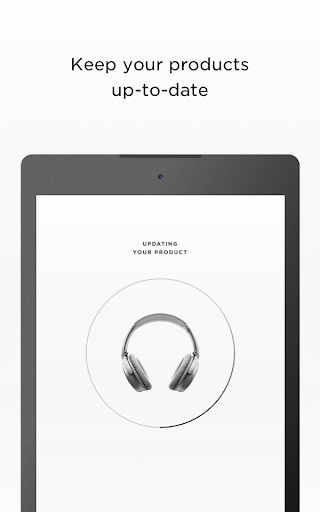
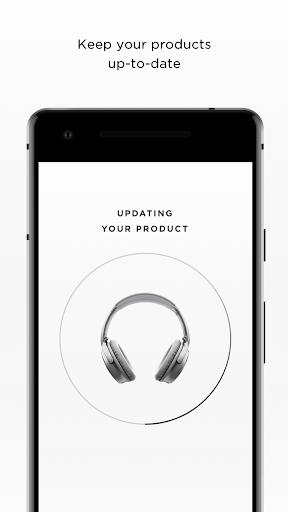
  • Firmware update management delivers the latest features and performance improvements directly through the app interface.
  • Product naming and shortcut customization enables users to assign recognizable names and create shortcuts for connected gear.

Why Users Love It

Unlocks proprietary Bose device features
Simplifies management of multiple connections

Perfect for: Perfect for owners of compatible Bose wireless headphones and speakers who want centralized control beyond basic Bluetooth.

Screenshots
Bose Connect screenshot 1Bose Connect screenshot 2Bose Connect screenshot 3Bose Connect screenshot 4Bose Connect screenshot 5Bose Connect screenshot 6

Ranking History

Track Bose Connect's performance in Music & Audio over the last 30 days

Top 5
Top 10
Top 15
Below 15

Current Rank

#37

Best Rank

#37

All-time high

Average Rank

#37

30-day average

User Reviews

Stop BeingBigBrother
Nov 18, 2025

It took some work to get the app to connect to two speakers at the same time for Party Mode. Once that worked, changing it to Stereo Mode was worth all the attempts and is the best value Bluetooth streaming stereo listening experience that I have experienced. (Via two Soundlink Flex speakers.) Bravo Bose!

Stop BeingBigBrother
Nov 18, 2025

It took some work to get the app to connect to two speakers at the same time for Party Mode. Once that worked, changing it to Stereo Mode was worth all the attempts and is the best value Bluetooth streaming stereo listening experience that I have experienced. (Via two Soundlink Flex speakers.) Bravo Bose!

ruth davis
Nov 30, 2025

love it so many ways. the only issue ever have is getting the sound to go louder at times. I have it connected to TV and phone and think that's what causes my confusion. the sound quality is something I never thought I would help. I love that these are small and portable. I dont think battery lasts near as long as informed?

ruth davis
Nov 30, 2025

love it so many ways. the only issue ever have is getting the sound to go louder at times. I have it connected to TV and phone and think that's what causes my confusion. the sound quality is something I never thought I would help. I love that these are small and portable. I dont think battery lasts near as long as informed?

David Nicolaica
Nov 23, 2025

I can put the setting I want for these headsets and I make it so much easier to sleep when listening to ASMR thank you Bose for creating the headsets

App Details

Developer

Bose Corporation

Platform

android

Rating

4.2

Last Updated

12/26/2025