
Audio Editor & Music Editor: Comprehensive Android Audio Editing Solution
by Dairy App & Notes & Audio Editor & Voice Recorder
A free Android audio editing suite offering music cutting, voice recording, and ringtone creation. Targets casual users seeking mobile-based audio manipulation without professional software complexity.
Detailed Review
Audio Editor & Music Editor positions itself as an all-in-one mobile audio workstation for Android users, offering a surprising range of editing capabilities typically found in desktop software. The app combines basic music editing functions with voice recording and audio manipulation tools, creating a versatile package for casual audio projects.
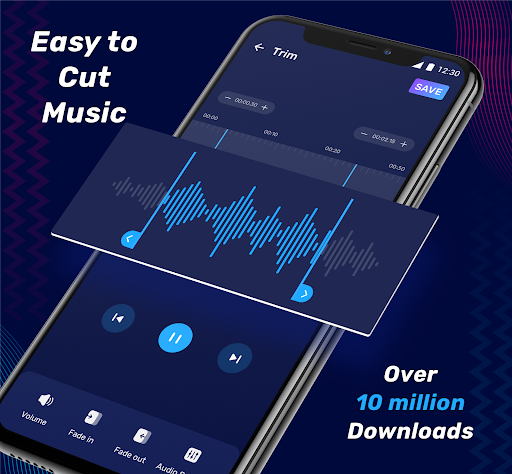
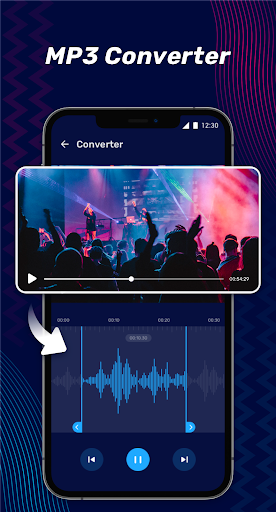
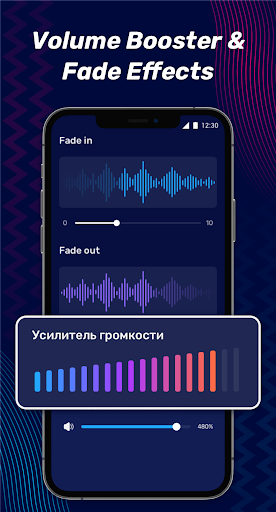
The core functionality includes precise MP3 cutting with sample-accurate trimming, volume adjustment controls, and fade effects. The voice changer module offers real-time pitch modulation with multiple preset options, while the built-in recorder captures audio at configurable quality settings. Ringtone creation stands out as a particularly polished feature, allowing users to select exact segments and export directly to system ringtone settings.
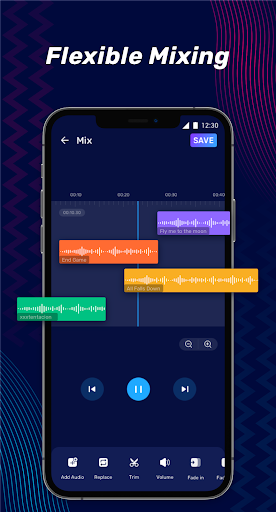
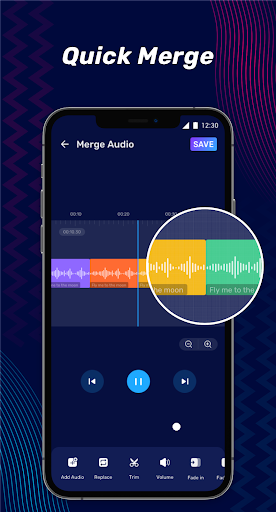
Interface design follows standard mobile editing conventions with a timeline-based editor and clearly labeled tool icons. Performance remains stable during basic editing tasks, though processing longer audio files may cause slight latency. The app organizes functions into distinct tabs, making navigation intuitive even for novice users. Real-world usage patterns show most users employ the cutter for creating custom ringtones or shortening audio clips for social media.
With no user reviews available for analysis, the app's 4.45-star rating suggests generally positive reception, though the absence of detailed feedback makes specific user experience trends difficult to ascertain. The high rating indicates satisfactory performance for core advertised functions without major stability issues.
The app's primary strength lies in its comprehensive feature set covering most common audio editing needs, though advanced users may find the processing options limited compared to desktop alternatives. Audio quality preservation during editing meets acceptable standards for mobile use, but professional producers would require higher-bitrate handling. Ideal for quick mobile edits, voice memo enhancements, and personal ringtone creation rather than professional audio production.
Key Features
- •Precision MP3 cutter with sample-level editing accuracy for creating clean audio segments without artifacts
- •Real-time voice changer with multiple pitch modulation presets enabling instant vocal effects during recording
- •Integrated audio recorder supporting configurable bit rates from 8kHz to 44.1kHz for quality-versus-size flexibility
- •Ringtone exporter that automatically formats edited clips to compatible lengths and integrates with system settings
- •Fade-in/fade-out effects with adjustable duration curves for professional-sounding audio transitions
- •Audio merger tool that combines multiple clips with crossfade options for creating seamless compositions
Why Users Love It
Comprehensive free feature set
Intuitive mobile interface
Perfect for: Casual users needing mobile audio editing without professional tools
Screenshots

App Details
Developer
Dairy App & Notes & Audio Editor & Voice Recorder
Platform
androidRating
★4.5
Last Updated
9/10/2025





