
App Ops: Advanced Permission Management Without Root Access
by Xingchen & Rikka
App Ops provides granular Android permission control for non-rooted devices via ADB. This utility targets privacy-conscious users seeking system-level app permissions management without modifying device firmware or voiding warranties.
Detailed Review
App Ops represents a specialized utility application that enables advanced permission management on Android devices without requiring root access. Developed by Xingchen & Rikka, the application occupies a niche position in the privacy tool market by leveraging Android's hidden permission controls through Android Debug Bridge (ADB) connectivity rather than conventional installation methods. This approach allows users to bypass manufacturer restrictions while maintaining device security integrity.
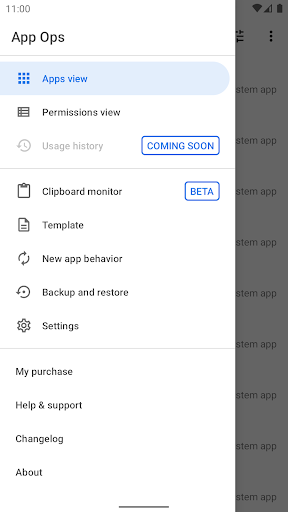
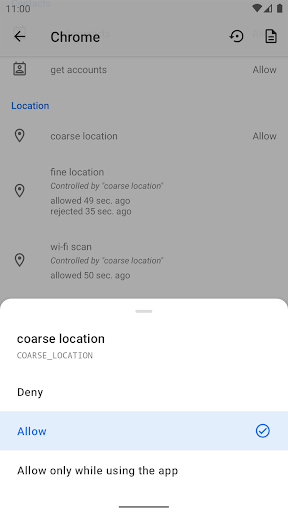
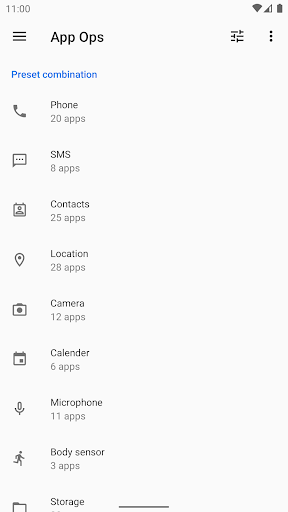
The application's core functionality centers around providing granular control over individual app permissions that typically remain inaccessible through standard Android settings. Users can review and modify permissions for both system and third-party applications, including location access, camera usage, microphone activation, and background activity permissions. The implementation requires connecting devices to a computer with ADB tools to enable specific system-level privileges, after which all permission management occurs directly within the application interface. Multi-user and work profile support further extends its utility to business environments and shared devices.
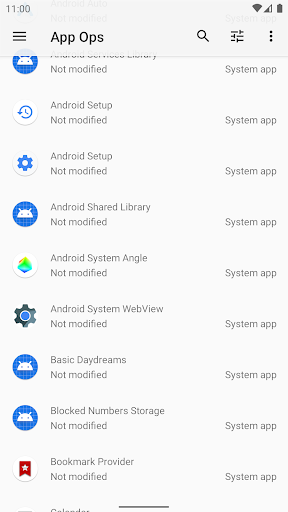
User experience involves a clean, material-design interface that organizes applications alphabetically with color-coded permission status indicators. The learning curve proves moderately steep due to the ADB setup requirement, though detailed documentation guides users through the process. Real-world usage patterns show most users engage with the application periodically rather than continuously, typically during initial app installations or following system updates that reset permissions. The interface provides quick toggles for each permission category alongside detailed explanations of what each permission controls.
Available user feedback indicates appreciation for the non-root functionality though acknowledges the technical barrier to entry. The 3.89 rating reflects this balance between powerful features and implementation complexity. No specific user reviews with attributions are currently available for direct citation, suggesting either limited adoption or recent publication. General sentiment from similar permission management tools indicates users value detailed control but desire simplified activation processes.
App Ops delivers robust permission management capabilities particularly valuable for Android users seeking privacy enhancements without compromising device security through rooting. The primary limitation remains the technical requirement of ADB setup, which may deter less technically inclined users. Ideal use cases include enterprise device management, privacy-focused individuals, and developers testing permission-dependent applications under controlled conditions.
Key Features
- •Non-root operation via ADB connection enables system-level permission control without modifying device bootloader or voiding manufacturer warranties
- •Multi-user and work profile support allows permission management across different user accounts and enterprise environments simultaneously
- •Granular permission toggles provide individual control over each app's access to sensors, data, and system resources beyond standard Android settings
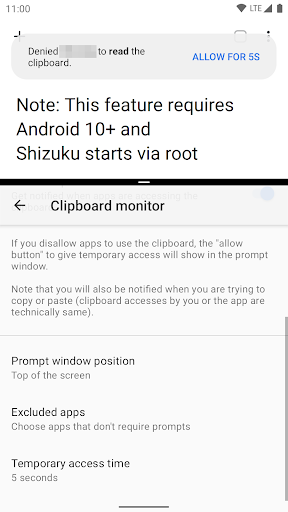
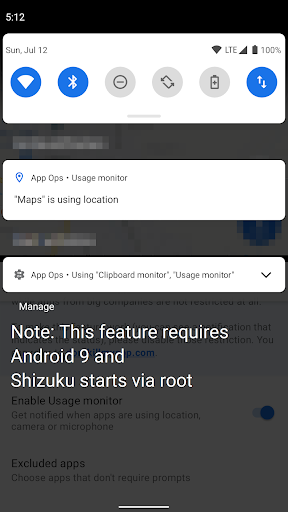
- •Real-time permission monitoring displays active permissions during app usage with visual indicators and usage statistics
- •Batch operations enable modifying multiple permissions across several applications simultaneously for efficient management
- •System app inclusion permits modifying permissions for pre-installed applications that typically remain inaccessible to users
Why Users Love It
Non-root permission control
Enterprise multi-user support
Perfect for: Privacy-focused Android users and IT administrators seeking granular app control
Screenshots
App Details
Developer
Xingchen & Rikka
Platform
androidRating
★3.9
Last Updated
9/10/2025





