
App Manager: Comprehensive Review of Android Utility Application
by AndroidDeveloperLB
App Manager simplifies Android device maintenance by providing bulk uninstallation capabilities and enhanced app management features. The utility targets users who frequently test applications or seek to remove pre-installed bloatware from their devices.
Detailed Review
App Manager addresses common Android device management challenges through a specialized utility interface that streamlines application handling processes. The application positions itself as a solution for users frustrated with the multi-step native uninstallation process and those managing multiple applications simultaneously.
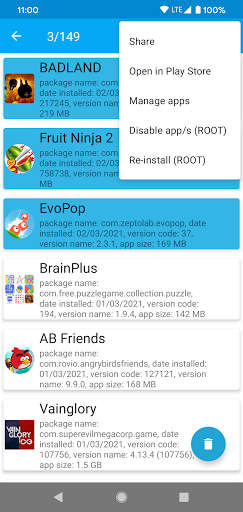
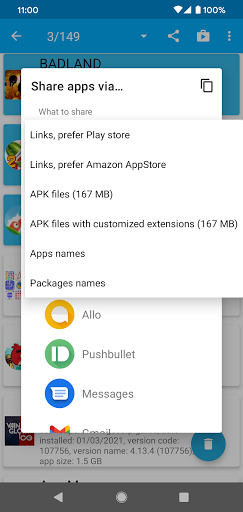
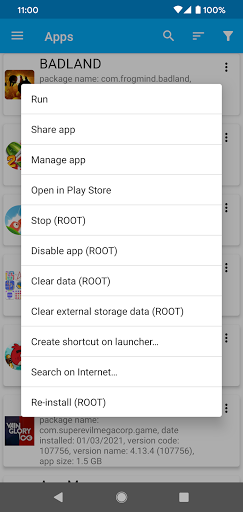
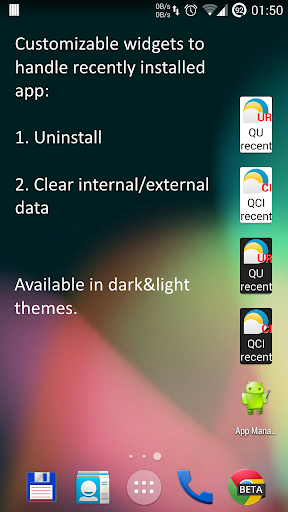
The core functionality centers around batch operations, allowing users to select and uninstall multiple applications in a single action rather than navigating individual app settings. Additional features include the ability to view and manage applications installed from outside the Google Play Store, which typically don't generate home screen icons automatically. The application also provides tools for identifying and potentially removing manufacturer or carrier pre-installed applications, though this capability varies by device and requires root access for full functionality.
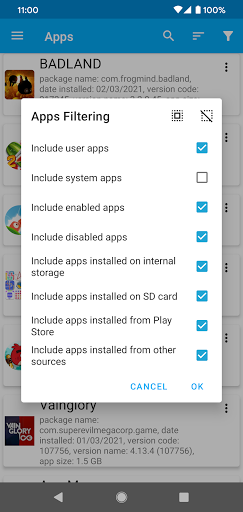
User experience demonstrates a straightforward interface with clear categorization of installed applications, including system apps, user apps, and disabled applications. The interface employs checkboxes for batch selection and provides filtering options to locate specific applications quickly. Real-world usage patterns indicate the application proves most valuable during device cleanup sessions or when testing multiple similar applications that require subsequent removal.
With no specific user reviews available for analysis, the application maintains a 4.10/5 rating on the Play Store, suggesting generally positive reception. The absence of detailed user feedback prevents specific commentary on common praises or criticisms, though the rating indicates satisfactory performance for most users seeking its specialized functionality.
The application's primary strength lies in its time-saving batch operations, though limitations include varying effectiveness with system applications without root access. Ideal use cases include frequent app testers, users with storage constraints, and those seeking to customize their device's application ecosystem beyond standard capabilities.
Key Features
- •Batch uninstallation capability allowing removal of multiple applications simultaneously through checkbox selection interface
- •Non-Play Store application management providing visibility and control over sideloaded applications missing home screen icons
- •System application identification with filtering options to distinguish pre-installed bloatware from user-installed applications
- •Storage information display showing detailed space utilization data for each installed application
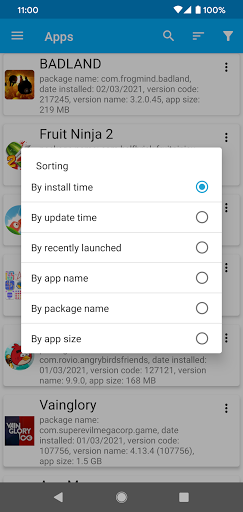
- •Application sorting and filtering functionality enabling organization by size, installation date, or alphabetical order
Why Users Love It
Efficient batch operations
Comprehensive app visibility
Perfect for: Android users requiring frequent application management and cleanup
Screenshots
App Details
Developer
AndroidDeveloperLB
Platform
androidRating
★4.1
Last Updated
9/10/2025





