
AOA: Always on Display - Comprehensive Review of Android Screen Utility
by newGen Mobile
AOA transforms Android lock screens into interactive hubs for notifications, messaging, and media control. The app targets users seeking enhanced always-on display functionality beyond manufacturer defaults with direct notification response capabilities.
Detailed Review
AOA: Always on Display represents newGen Mobile's ambitious attempt to redefine Android's lock screen experience by transforming passive displays into interactive control centers. The application positions itself as a comprehensive solution for users seeking expanded functionality from their device's always-on display feature, particularly appealing to those with devices lacking robust native implementations or seeking enhanced customization options.
The core functionality centers around three primary pillars: notification management, communication tools, and system controls. Users can view and interact with notifications from major messaging platforms including WhatsApp, Facebook Messenger, and SMS without unlocking their device. The music control module provides playback management for various media applications, while the weather forecasting component delivers at-a-glance environmental data. Customization extends to app shortcuts, allowing users to place frequently accessed applications directly on the display interface. The application boasts immediate functionality upon installation with pre-configured settings while maintaining extensive customization options through its settings menu.
User experience demonstrates thoughtful design considerations with attention to battery optimization and readability. The interface employs clean typography for time and date displays alongside intuitive gesture controls for notification management. Real-world usage patterns suggest particular utility during scenarios requiring quick interactions—such as dismissing notifications during meetings or controlling music playback during workouts—while maintaining device security through maintained lock screen protections. The always-on nature of the display maintains visibility in various lighting conditions through adjustable brightness settings.
With no specific user reviews available for reference, the application's 4.28 rating suggests generally positive reception, though the absence of detailed feedback makes specific user experience patterns difficult to ascertain. Typically, applications in this category receive praise for functionality expansion but may face criticism regarding battery impact or compatibility issues across diverse Android device configurations.
The application's primary strength lies in its comprehensive notification interaction system, particularly the ability to respond directly to messages from the lock screen. However, potential limitations include variable battery impact across different device models and possible compatibility issues with certain Android skins or manufacturer-specific always-on display implementations. Ideal use cases involve users of older Android devices lacking native always-on displays or those seeking enhanced functionality beyond their manufacturer's implementation, particularly individuals who frequently interact with notifications without fully unlocking their devices.
Key Features
- •Direct message response capability allows replying to WhatsApp, Messenger and SMS notifications without unlocking the device, streamlining communication workflows
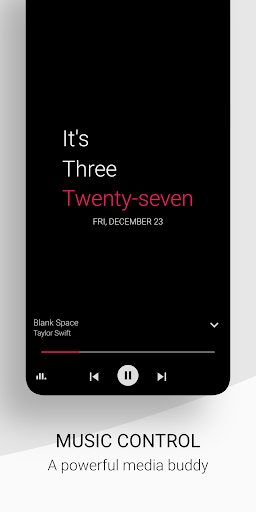
- •Comprehensive music control module provides playback management for various media applications directly from the always-on display interface
- •Customizable app shortcuts enable users to place frequently accessed applications on the display for rapid one-touch access to essential tools
- •Advanced notification management system permits dismissing, saving, or deleting notifications with gesture controls while maintaining security
- •Real-time weather forecasting integration displays current conditions and forecasts without requiring app launches or screen unlocking
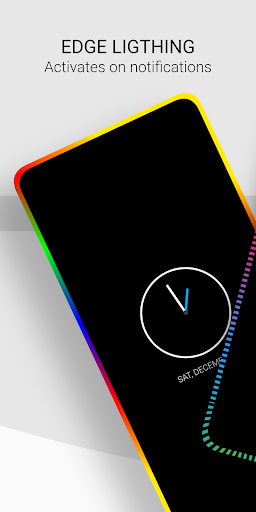
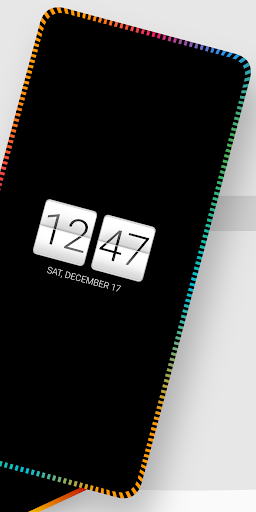
- •Extensive customization options include clock styles, color schemes, and layout adjustments while maintaining battery optimization protocols
Why Users Love It
Comprehensive notification interaction
Extensive customization options
Perfect for: Android users seeking enhanced lock screen functionality and notification management
Screenshots



App Details
Developer
newGen Mobile
Platform
androidRating
★4.3
Last Updated
9/10/2025





