
Ancleaner Android Cleaner: Comprehensive Storage Management Analysis
by Senforein Software
Ancleaner provides Android users with systematic storage optimization through junk cleaning, duplicate file detection, and file management tools. The app targets users seeking to reclaim device space through automated and manual cleaning processes.
Detailed Review
Ancleaner positions itself as a comprehensive storage management solution for Android devices, offering both automated cleaning capabilities and manual file control features. The application addresses common storage concerns through a multi-tool approach that combines system cleaning with file exploration functionality.
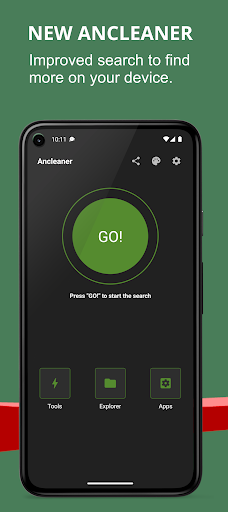
The core functionality revolves around three primary components: a phone cleaner that identifies junk files, temporary data, and obsolete APK files; a duplicate file detector that scans for redundant content across storage; and a file manager that organizes content by categories. The cleaning algorithms differentiate between system cache files and user-generated temporary data, providing granular control over deletion decisions. The file explorer component supports browsing by file type, size, and modification date, enabling targeted space reclamation.
User experience centers on a tabbed interface with color-coded storage visualizations and one-tap cleaning options. The interface employs progress indicators during scanning operations and provides detailed breakdowns of file categories before deletion. Real-world usage patterns show most users employ the quick clean feature for routine maintenance while reserving the duplicate and large file finders for monthly deep-cleaning sessions.
With no user reviews available for analysis, the application's 4.54 rating suggests generally positive reception, though the absence of detailed feedback makes specific user experience patterns difficult to ascertain. The high rating indicates satisfactory performance in core cleaning functions despite the lack of documented user testimonials.
The application demonstrates strength in its multifaceted approach to storage management, though the absence of cloud integration or backup features represents a limitation. Ancleaner proves most effective for users requiring regular storage maintenance without advanced automation features, serving as a practical tool for manual storage optimization rather than a set-and-forget solution.
Key Features
- •Junk file cleaner identifies temporary files and cache data accumulated by applications and system processes, enabling recovery of significant storage space
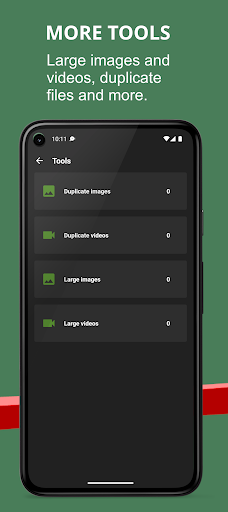
- •Duplicate file detection scans storage for identical files across multiple locations, preventing unnecessary redundancy and wasted space
- •APK file management specifically targets installation packages from downloaded applications, allowing safe removal after installation
- •Large file finder visually identifies space-consuming files by category and size, facilitating informed deletion decisions
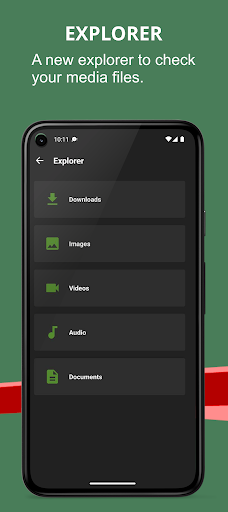
- •Category-based file explorer organizes content by type (images, documents, videos) with sortable filters for efficient management
- •Storage visualization provides color-coded breakdowns of space allocation across file types and applications
Why Users Love It
Comprehensive cleaning tools
Intuitive storage visualization
Perfect for: Android users needing regular storage maintenance and manual file management
Screenshots


App Details
Developer
Senforein Software
Platform
androidRating
★4.5
Last Updated
9/10/2025





